Sprout SEO
Sprout SEO Extension

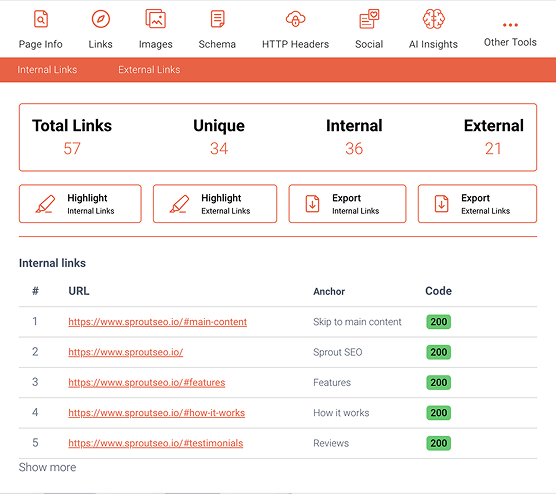
Analyze every link, right from your browser

Highlights, filter, and check links for redirects or 404s instantly.

Add to Chrome Also available for Firefox and Edge.
Learn more →

4.5 — AI Insights at Scale

What’s new AI Search Insights — see how ChatGPT actually searches Capture, analyze, and export every AI search conversation: query fan-outs, cited sources, products, entities, and the signals ChatGPT sends behind the answer — not just the finished text. Following the research by Suganthan Mohanadasan, we’ve extended AI Search Insights to surface three sourcing signals […]

4.4.7 – AI overviews back in view

Bug fixes Fixed: AI Overviews stopped being detected. Google moved AI Overviews out of the #rso results container into a new #Odp5De block that renders above the organic results, so the extension reported “No AI Overview found” on every SERP that had one. The extractor now looks in the new location (and watches for overviews […]

4.4.6 – Crawl by the Rules

Bug fixes Fixed: The robots.txt checker could report a URL as ALLOWED while Google Search Console showed it blocked by robots.txt. The parser now follows how Google actually reads robots.txt (RFC 9309): consecutive User-agent lines grouped with only ignored directives between them (like Crawl-delay) stay in one group, so a trailing Disallow applies to the […]

4.4.5 – Small bugfixes

Bug fixes Fixed: An issue with the X-Robots-Tag detection and display that was reported by Mathias Noyez from Depends SEO agency in Belgium. Thanks for the heads-up—we’ve corrected how the extension reads and surfaces the X-Robots-Tag HTTP header so it now reflects the actual indexability status as intended. What’s new We’ve added an AI Robots […]

4.4 — The AI Whisperer

What’s new AI Insights We’ve added a brand new AI Search Insights tab that reveals the hidden search queries that ChatGPT and Gemini generate when they’re answering your questions. Ever wondered what queries an AI chatbot uses when it searches the web for you? Now you can see exactly what’s happening behind the curtain. The […]

4.3 – The Inspector

Note on permissions, why the scary permissions prompt? Don’t worry, we’re not spying on you! The “Toggle JavaScript” feature requires Chrome’s contentSettings permission, which Chrome describes as accessing “geolocation, microphone, camera, cookies, etc.” In reality, we only use it to flip JavaScript on/off. Chrome just warns about everything this API could control, not what we actually do with it. What’s new We’ve added two new tools to help you diagnose issues with JavaScript-heavy websites. First, you can now […]

4.2.4 – small bugfixes

After a recent change in the SERP, there was an issue with the Core Web Vitals module in the SERP. This is now fixed, together with the status icons in the icon pin.